What people information is synced between Resource Planning and the Procore Company Directory?
Background
For projects using Resource Planning and Resource Tracking tools, you can manage your people using the Resource Planning tool. When data syncs are enabled, the people in Resource Planning are added to the Company Directory, and can be assigned to resource assignments, and appear in the Site teams, and the Timesheets tools.
Updates to people's information in either the Resource Planning tool or Procore’s Company Directory automatically sync with the other. Most syncs take less than one minute.
Answer
When adding people to Resource Planning, there are three Resource Planning user types people in Resource Planning: 'User', 'Assignable', or 'Assignable User'. When user accounts are created in the Company Directory, you can assign them one of these Resource Planning user types. When people are created through the People List, how you create a user determines if they will also be a user in the Company Directory, or a contact.
Note
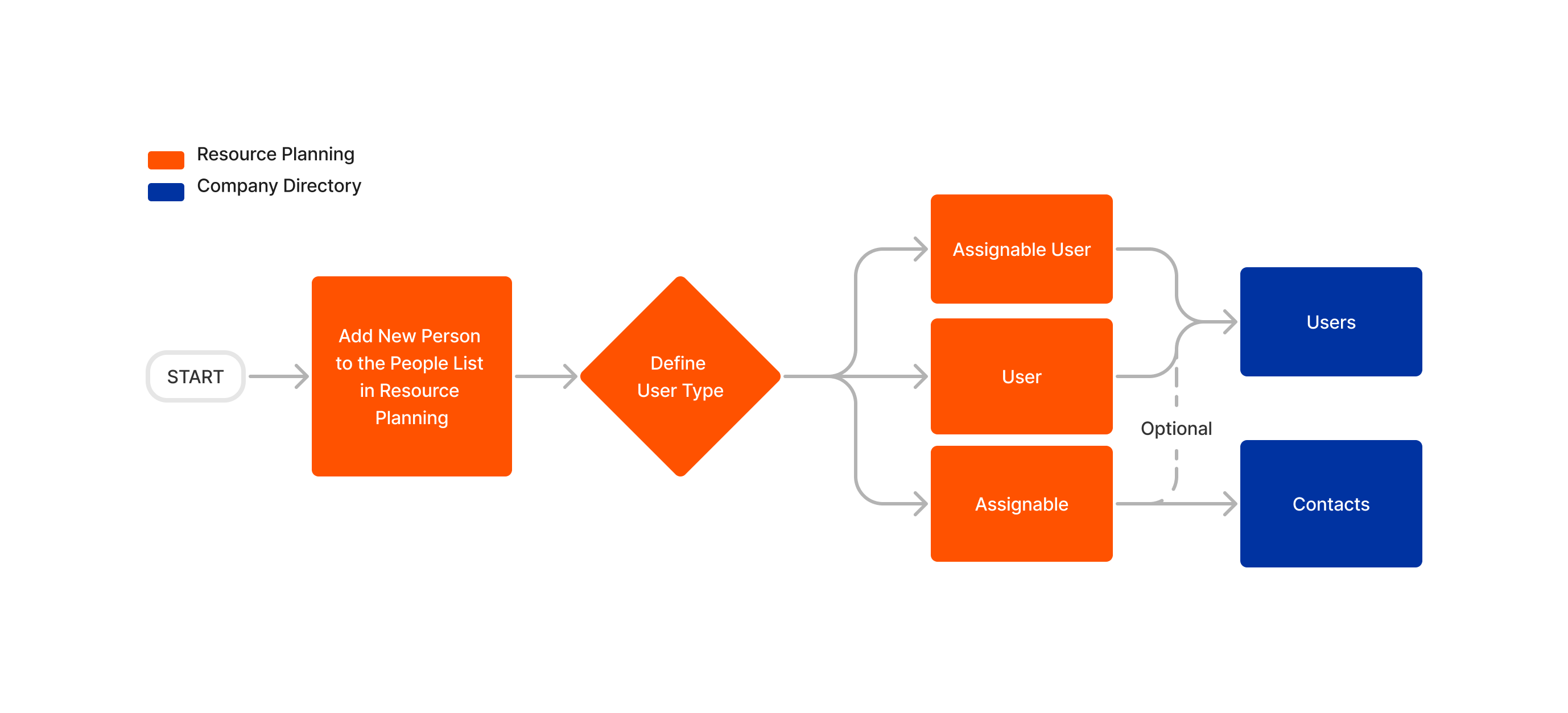.png?revision=1)
|
Assignable User
|
User
|
Assignable
|
After you decide how to create your user, the following information is synced between the People List to the 'Personal Information' section of the Company Directory. All other fields are available to edit and view in the 'Resource Planning' tab of the Company Directory.
| Resource Planning | Procore Company Directory |
|---|---|
| First Name | First Name |
| Last Name | Last Name |
| Employee ID | Employee ID |
| Mobile Phone | Mobile Phone |
| Email Address | Email Address |
| Job Title Note: This is synced one way from Resource Planning to the Directory. |
Job Title Note: This is synced one way from Resource Planning to the Directory. |
| Status | Active? |
Note
- By default, users created in the People List and synced to the Company Directory are granted ‘Standard’ level permissions to the Resource Planning tool, and the lowest possible permissions level to all other Procore tools. You can grant permissions by updating your Company Permissions Templates or by updating the user’s permissions in their profile. See Edit a Company Permissions Template or Edit a User Account in the Company Directory.
- To avoid duplicate records, ensure that all people have matching records of the following in both Resource Planning and the Company Directory:
- Employee ID
- Email Address
- User Types
See Also