Add Equipment
Legacy Content
This is legacy functionality. You can now manage your Equipment using the Equipment tool. See About the Equipment Tool.
However, if you have existing integrations for a project that depend on equipment listed in the Project Settings of the project Admin tool, Procore recommends NOT enabling Equipment tool at this time.
Enabling the Equipment tool on a project disables existing third party integrations for that project that rely on the equipment listed in the in the project's Admin tool.
Objective
To add a list of equipment to the Project level Admin tool.
Background
You can associate certain assets in Procore with equipment on your worksite, like incidents. You can also keep an equipment register using the Project level Site Diary tool (see Create Equipment Register Entries). In order to associate these assets in Procore with equipment, you will first need to use the steps below to add your project's list of equipment to Procore's Project level Admin tool.
Things to Consider
- Required User Permissions:
- 'Admin' level permissions on the project's Admin tool.
- Additional Information:
- After adding equipment to the Admin tool, you can then select these items in the Equipment Register of the Project level Site Diary tool. See Create Equipment Register Entries.
Demo
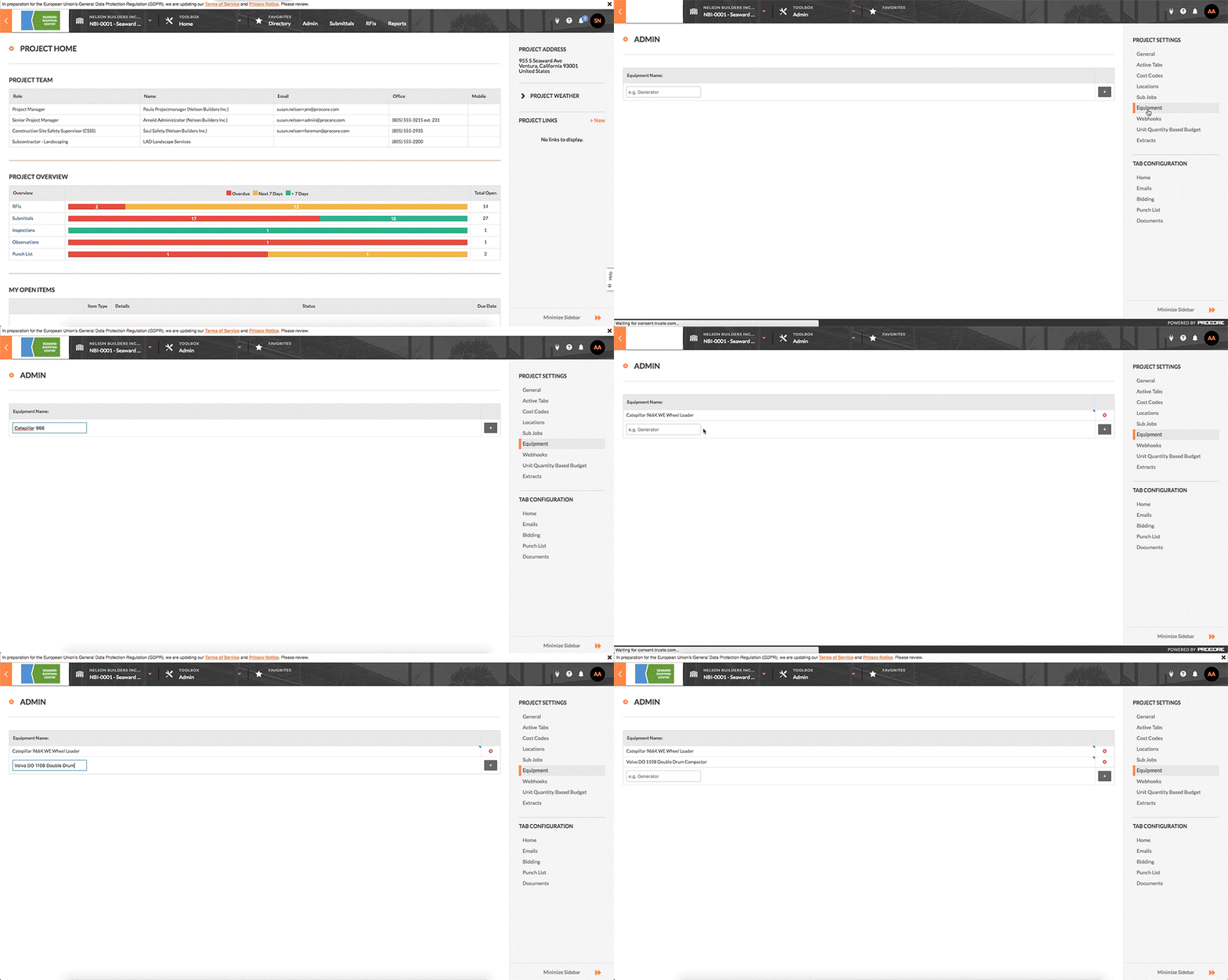
Steps
- Navigate to the project's Admin tool.
- Under the 'Project Settings' menu in the sidebar, click Equipment (Legacy).
- Type brief description or another identifying code for the piece of equipment in the Equipment Name box.
- Click on the Add
 icon.
icon.
This adds the piece of equipment to the list. You can now use the equipment list to add entries to the Equipment Register in the Site Diary tool.