Procore

Getting Started

  1. Join Procore via computer
  2. Learn how to Navigate Procore
  3.  Manage 'My Account Settings'
  4. Sign up for or view previous Procore Training Webinars

Go Mobile


ios-190.png
Download Procore's Mobile Application

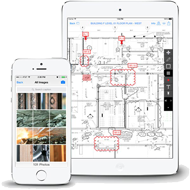
The best way to use Procore on a worksite is by installing our mobile application on your smartphone or tablet. Stay in-sync with your project team at all times regardless of whether you're in the office or on a worksite. You can even work in offline mode where all of your data automatically syncs with Procore once a network connection is re-established.

 Download Procore for iOS
 View Download Instructions
 Download Procore for Android
View Download Instructions

Get Procore Certified

Procore's Certification Program provides a more efficient and engaging learning experience for our users as they will be able to be trained on how to sufficiently use Procore to perform their particular job role on any construction project. Each course is self-paced and teaches the fundamentals of how to use each relevant tool in Procore (e.g. RFIs, submittals, drawings, etc.) to perform common tasks as well as emphasizes overall best practices. The role-based courses also train users on how to perform common actions using Procore's iOS/Android mobile application. It's recommended that you leverage each of these certification courses to train any collaborator on your project that will be asked to perform actions using Procore.


  • Comprehensive and streamlined learning paths where training curriculum is specifically tailored to satisfy job role requirements
  • Flexible, self-paced courses. Learn at your convenience. Complete course material over multiple user sessions where learning progress is automatically saved.
  • Earn a verifiable certificate upon course completion (view example)
  • Earn a verifiable certificate upon course completion (view example)
  • Earn a verifiable certificate upon course completion (view example)
  • Earn a verifiable certificate upon course completion (view example)
  • Earn a verifiable certificate upon course completion (view example)
  • Earn a verifiable certificate upon course completion (view example)
  • Earn a verifiable certificate upon course completion (view example)
  • Earn a verifiable certificate upon course completion (view English example)
  • Add your certificate to your LinkedIn profile to showcase your Procore skillset to your professional network
  • Designated operations managers can track the learning progress of each team member

Contact Technical Support


To submit a ticket to Procore's Customer Support team, please complete the following form. Thank you!

Announcement:
Beginning on 20 November 2025, you’ll see changes to Procore’s Support Site. You’ll be able to find answers faster, and release notes are now in one location with filtering. Changes will be continuously rolled out, and we will continue to improve the site throughout the next year.
What can we help you with today?
My Procore Application
My ERP Integration
Search results based on your subject
Please describe your issue.
Please copy and paste the link into the Procore page where you are experiencing the problem.
  Procore Community

See if someone else has already answered your question by searching the Procore Community. The Procore Community is a great place to connect with fellow Procore users and find answers, ideas, articles, and best practices.

  Customer Support

If you need additional troubleshooting or technical help, our dedicated Customer Support team takes pride in providing world-class support. Use our web form on this page to submit your question to the team or use our Live Chat option (available in English and Spanish) for urgent assistance. Click here to view other options and the Support team's availability  

Monday - Friday, 24 hrs
Saturday, 12 AM - 2 PM (AEST)
Sunday, 12 AM - 11 AM (AEST)
  Live Chat

 Call Us

 Email Us

Specialty Customer Support

  • Resource Planning (formerly Laborchart)
Monday - Friday
11 PM - 8 AM (AEST)
  Live Chat

 Call Us

 Email Us


  Procore Community

See if someone else has already answered your question by searching the Procore Community. The Procore Community is a great place to connect with fellow Procore users and find answers, ideas, articles, and best practices.

  Customer Support

If you need additional troubleshooting or technical help, our dedicated Customer Support team takes pride in providing world-class support. Use our web form on this page to submit your question to the team or use our Live Chat option (available in English and Spanish) for urgent assistance. Click here to view other options and the Support team's availability  

Monday - Friday, 24 hrs
Saturday, 12 AM - 2 PM (AEST)
Sunday, 12 AM - 11 AM (AEST)
  Live Chat

 Call Us

 Email Us

Specialty Customer Support

  • Resource Planning (formerly Laborchart)
Monday - Friday
11 PM - 8 AM (AEST)
  Live Chat

 Call Us

 Email Us